
Remote work has become a permanent part of how many businesses operate. While distributed teams offer flexibility and access to global talent, they also make it harder for managers to track productivity, ensure security, and understand how work is being done across remote devices.
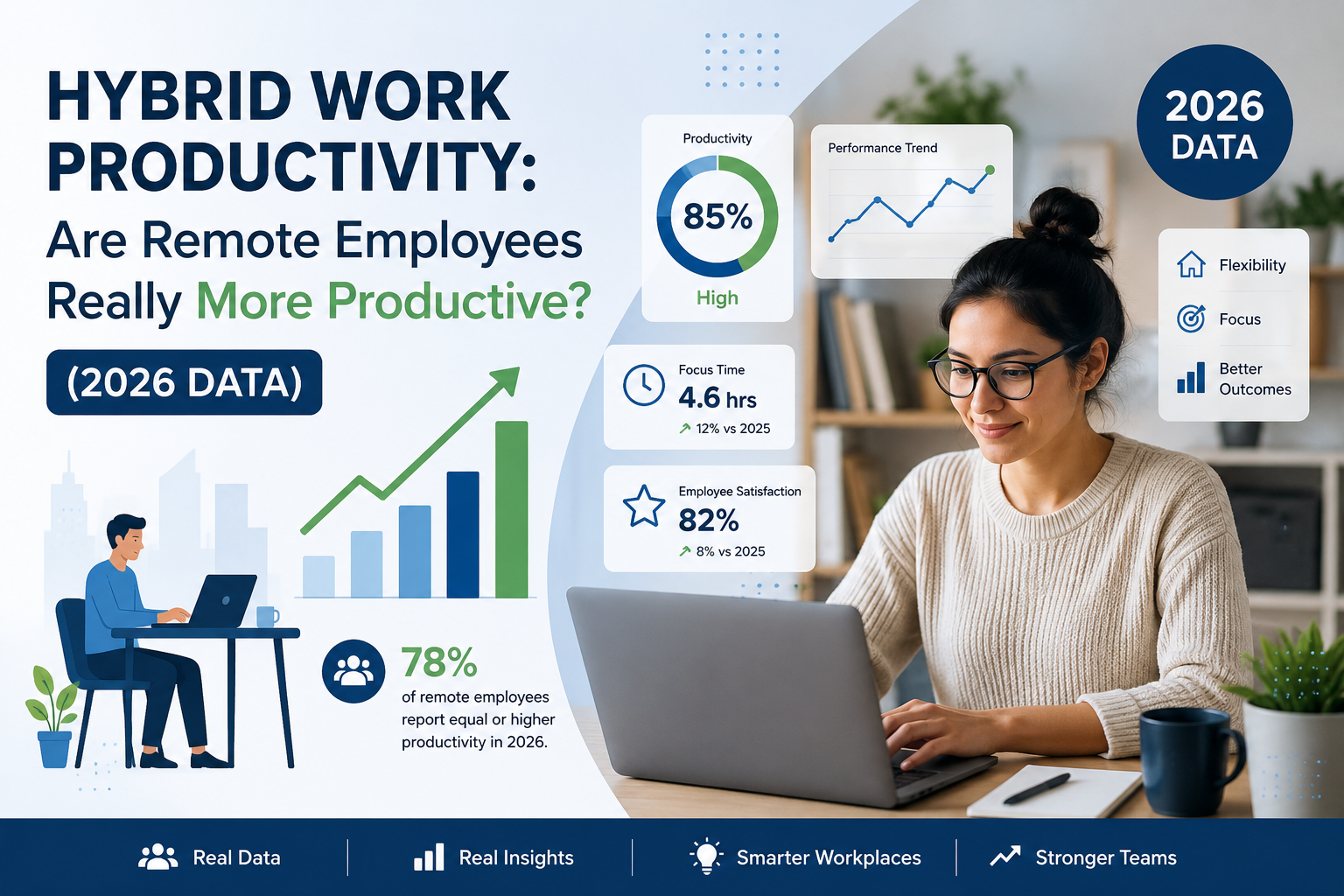
In fact, 85% of business leaders say they struggle to trust that remote employees are productive, even though employees believe they are working effectively.
This is why many organizations now rely on software to monitor remote employees. Modern remote monitoring tools help businesses track activity, understand productivity patterns, and maintain visibility across distributed teams.
From remote desktop monitoring software and remote monitoring apps to advanced remote monitoring and management tools, these platforms provide insights into system usage, employee performance, and security. Many companies also use tracking programs for computers and IT remote monitoring software to manage devices and improve efficiency across remote environments.
As remote work continues to grow, the right remote productivity monitoring tools help businesses maintain transparency, improve accountability, and support better team performance.
What Is Remote Computer Monitoring Software?
Remote computer monitoring software is a tool that helps businesses keep track of how company devices are being used when employees work outside the office. In simple terms, it gives managers visibility into what’s happening on remote computers so they can understand work patterns, system usage, and overall productivity.
When teams work remotely, it becomes difficult to know how time is being spent or whether company devices are being used efficiently. This is where software to monitor remote employees becomes valuable.
It allows companies to track important activity data such as time spent on tasks, applications used during work hours, and overall system performance.
Most modern remote monitoring tools work quietly in the background and collect information about employee activity.
For example, they can record login and logout times, monitor website and application usage, and generate productivity reports. Many businesses also use tracking programs for computers to identify how employees allocate their time across projects and tasks.
Some tools go even further. Remote desktop monitoring software allows managers or IT teams to view or access a device remotely when needed. This can be useful for troubleshooting technical issues, providing support, or verifying work progress without requiring physical access to the device.
In addition to productivity tracking, many organizations rely on remote monitoring and management tools and IT remote monitoring software to maintain system security. These tools help detect unusual activity, ensure company policies are followed, and protect sensitive business data across distributed devices.
Many platforms are also available as remote monitoring apps, making it easy for managers to view reports, dashboards, and alerts from anywhere. This helps companies maintain oversight while still giving remote teams the flexibility they need to work effectively.
Overall, the goal of remote productivity monitoring tools is not just to track employees but to give businesses better insights into how work happens.
Why Businesses Need Remote Monitoring Tools for Distributed Teams
Managing a distributed team comes with challenges that traditional office environments did not have. Without direct visibility into daily activities, businesses often struggle to understand how work is being done, whether systems are secure, and how productive teams really are. This is why many companies now rely on software to monitor remote employees and other remote monitoring tools to maintain visibility and control.
Here are some of the main reasons businesses need these tools.
1. Maintaining Visibility Into Employee Productivity
When employees work remotely, managers cannot easily see how time is being spent during the day. Remote productivity monitoring tools help organizations track work hours, application usage, and task activity. This allows businesses to understand productivity patterns and ensure that employees stay focused on work-related tasks.
2. Preventing Time Misuse and Distractions
In remote setups, it’s easier for work hours to get mixed with personal activities. Tracking programs for computers and remote monitoring apps help identify how much time is spent on productive work versus non-work activities. This insight helps managers address inefficiencies and improve time management without relying on guesswork.
3. Improving Performance Tracking
For distributed teams, evaluating employee performance can be difficult without data. Remote monitoring and management tools provide detailed reports on activity levels, task completion, and work patterns. These insights help managers make fair performance assessments and support employees who may need additional guidance.
4. Strengthening Data Security and Compliance
Remote employees often access company systems from different networks and locations. This increases the risk of data leaks or unauthorized access. IT remote monitoring software helps businesses monitor system activity, detect unusual behavior, and ensure that company devices follow security policies.
5. Supporting IT Management Across Remote Devices
IT teams also need visibility into the health and usage of company systems. Remote desktop monitoring software allows IT professionals to access devices remotely, troubleshoot problems, and maintain system performance without needing physical access to the device.
6. Building Transparency in Remote Work Environments
When used correctly, remote monitoring tools can create transparency rather than surveillance. Employees know how their work is being tracked, and managers can rely on real data instead of assumptions. This helps build accountability and encourages a more structured remote work culture.
In short, software to monitor remote employees helps businesses solve the biggest challenges of distributed work. It improves visibility, strengthens security, and gives organizations the data they need to manage remote teams effectively.
Key Features to Look for in Remote Employee Monitoring Software
Not all software to monitor remote employees offers the same capabilities. The best tools combine productivity tracking, system monitoring, and security features that help businesses manage distributed teams effectively. When evaluating different remote monitoring tools, it’s important to focus on features that provide meaningful insights without creating unnecessary complexity.
Below are the key features businesses should look for.
1. Time Tracking and Activity Monitoring
One of the most important features of remote productivity monitoring tools is accurate time tracking. This allows businesses to understand when employees start work, how long they stay active, and how their time is distributed across tasks.
Activity monitoring also tracks keyboard and mouse activity levels, helping managers understand whether employees are actively working or idle. These insights make it easier to identify productivity patterns and ensure work hours are being used effectively.
2. Screen and App Usage Tracking
Another essential capability is monitoring how employees use applications and websites during work hours. Many tracking programs for computers can record which apps are used most frequently and how long employees spend on specific tasks.
This feature helps businesses identify productive tools, detect time spent on distractions, and understand how workflows actually happen across remote teams.
3. Remote Desktop Monitoring Software Capabilities
Advanced remote desktop monitoring software allows managers or IT teams to view remote screens or access systems when needed. This can be useful for troubleshooting technical issues, assisting employees, or verifying that tasks are progressing as expected.
For IT departments, these capabilities are often part of broader remote monitoring and management tools that help maintain system performance and resolve problems without requiring physical access to devices.
4. Reports and Analytics
Data becomes valuable only when it can be understood clearly. Good remote monitoring apps provide detailed dashboards, productivity reports, and visual analytics that help managers quickly interpret employee activity and system performance.
These insights help businesses track trends, evaluate performance, and make informed decisions about team productivity and operational efficiency.
5. Privacy and Compliance Controls
While monitoring is important, maintaining employee trust is equally critical. Modern IT remote monitoring software includes privacy settings that allow businesses to control what data is collected and how it is used.
Features such as role-based access, data protection controls, and transparent monitoring policies help organizations balance productivity tracking with employee privacy and regulatory compliance.
When these features are combined in the right software to monitor remote employees, businesses gain a clear view of productivity, system health, and work patterns. This helps teams stay accountable while still maintaining a flexible remote work environment.
Best Software to Monitor Remote Employees in 2026
As remote and hybrid work continue to grow, businesses need reliable software to monitor remote employees that provides visibility into productivity, system usage, and team performance. Modern remote monitoring tools help organizations track employee activity, understand work patterns, and maintain security across distributed devices.
The best remote productivity monitoring tools combine features like time tracking, activity monitoring, reporting dashboards, and remote desktop monitoring software capabilities. Many platforms also function as remote monitoring and management tools, helping IT teams maintain system health while giving managers better insights into team productivity.
Below are some of the most widely used remote monitoring apps and tracking programs for computers that businesses rely on to manage remote teams effectively in 2026.
We360.ai
We360.ai is a comprehensive software to monitor remote employees designed to help organizations improve productivity and gain better visibility into distributed teams. It provides detailed insights into employee activity, application usage, and work patterns, making it easier for managers to track performance and identify productivity trends.
Key Features
- Real-time employee activity monitoring
- Detailed productivity analytics and reports
- Application and website usage tracking
- Screenshot monitoring for work verification
- Time tracking and attendance monitoring
Hubstaff
Hubstaff is a popular remote monitoring tool used by companies that need time tracking and productivity insights for remote teams. It combines employee monitoring with project management and workforce analytics features.
Key Features
- Automatic time tracking
- Activity level monitoring
- GPS tracking for remote teams
- Productivity reporting dashboards
- Project and task management tools
ActivTrak
ActivTrak is a workforce analytics platform designed to help businesses understand employee productivity and digital work habits. It focuses on behavior analytics and productivity insights across distributed teams.
Key Features
- Workforce productivity analytics
- Application and website tracking
- Screen capture monitoring
- Automated productivity reports
- Real-time activity dashboards
Time Doctor
Time Doctor is a widely used remote productivity monitoring tool that helps businesses track employee work hours and productivity levels. Remote teams, outsourcing companies, and service-based businesses commonly use it.
Key Features
- Automatic time tracking
- Website and application monitoring
- Screenshot monitoring
- Productivity reports and insights
- Task and project tracking
Insightful
Insightful is an employee monitoring platform designed to help organizations improve workforce productivity through detailed activity tracking and behavioral analytics.
Key Features
- Time and attendance tracking
- Application and website monitoring
- Productivity analytics dashboard
- Workforce behavior insights
- Team performance reporting
Microsoft Viva Insights
Microsoft Viva Insights focuses on workplace analytics and employee well-being within organizations using Microsoft 365. It helps businesses understand collaboration patterns and improve productivity.
Key Features
- Workplace productivity insights
- Collaboration analytics
- Focus time tracking
- Integration with Microsoft 365 tools
- Data-driven productivity recommendations
Teramind
Teramind is an advanced IT remote monitoring software platform that focuses on security, compliance, and insider threat detection. It provides deep visibility into user activity across company devices.
Key Features
- User behavior analytics
- Screen and activity monitoring
- Insider threat detection
- Data loss prevention tools
- Detailed compliance reporting
SentryPC
SentryPC is a cloud-based monitoring solution designed for tracking computer activity across business environments. It allows organizations to monitor usage and enforce usage policies.
Key Features
- Application and website monitoring
- Activity logs and reports
- Usage control and restrictions
- Remote device monitoring
- User activity tracking
DeskTime
DeskTime is a productivity tracking platform that helps businesses understand how employees spend their work time. It provides automated time tracking and productivity analytics.
Key Features
- Automatic time tracking
- Application usage monitoring
- Productivity classification
- Daily and weekly reports
- Project time tracking
RescueTime
RescueTime is a productivity analytics tool designed to help individuals and teams understand their digital habits and improve focus during work hours.
Key Features
- Automatic time tracking
- Focus time and distraction blocking
- Productivity reports and analytics
- Website and app usage insights
- Goal tracking for productivity
RemoteDesk
RemoteDesk is a workforce monitoring platform designed for remote teams that need activity tracking and performance insights.
Key Features
- Time tracking and attendance monitoring
- Screenshot monitoring
- Productivity reporting
- Task and project tracking
- Workforce analytics
Apploye
Apploye is a time tracking and employee monitoring platform used by businesses that manage remote and hybrid teams.
Key Features
- Time tracking and attendance management
- Screenshot monitoring
- Application and website tracking
- Project and task management
- Productivity reports
Kickidler
Kickidler is an employee monitoring solution designed to provide real-time visibility into employee computer activity.
Key Features
- Live screen monitoring
- Keystroke logging
- Activity tracking and reports
- Productivity analysis
- Remote workforce monitoring
Controlio
Controlio is a workforce monitoring platform designed to help organizations track productivity and monitor computer usage.
Key Features
- Employee activity monitoring
- Application and website tracking
- Productivity analytics
- Screenshot capture
- Detailed usage reports
Interguard
Interguard is a monitoring and security platform designed to help businesses track employee activity and protect sensitive company data.
Key Features
- Employee activity monitoring
- Data loss prevention tools
- Screen monitoring
- User behavior analytics
- Security and compliance reporting
DeskTrack
DeskTrack is a remote monitoring app that helps organizations track employee productivity and manage remote work activity.
Key Features
- Automated time tracking
- Application and website monitoring
- Productivity analysis reports
- Project tracking
- Employee performance insights
EmpMonitor
EmpMonitor is a comprehensive tracking program for computers that provides productivity tracking and employee activity monitoring.
Key Features
- Employee activity tracking
- Application and website monitoring
- Screen capture monitoring
- Productivity reporting
- Attendance and time tracking
WorkTime
WorkTime is an employee monitoring solution designed to help businesses track productivity and improve remote workforce management.
Key Features
- Time tracking and attendance monitoring
- Productivity reports and analytics
- Application usage tracking
- Activity monitoring dashboards
- Workforce performance insights
Workstatus
Workstatus is a workforce management platform designed to track productivity, attendance, and employee work activity for remote teams.
Key Features
- Time tracking and attendance management
- Productivity tracking and reporting
- Application and website usage monitoring
- Workforce performance insights
- Project and task management tools
Benefits of Using Remote Computer Monitoring Software
Using the right software to monitor remote employees can help businesses manage distributed teams more effectively. Modern remote monitoring tools provide valuable insights that improve productivity, communication, and operational efficiency. Here are some key benefits.
- Better Productivity Tracking: Remote productivity monitoring tools help businesses understand how employees spend their work hours. By tracking activity levels, application usage, and work patterns, managers can identify productivity trends and ensure time is being used effectively.
- Identify Areas for Improvement: Detailed insights from tracking programs for computers help managers spot workflow bottlenecks and inefficiencies. This allows businesses to improve processes, optimize workloads, and provide better support to employees who may need guidance.
- Improved Accountability Across Teams: With remote monitoring apps, both managers and employees gain clarity on work activity and performance. This transparency encourages accountability and helps teams stay aligned on goals and expectations.
- Stronger Data Security: Many remote monitoring and management tools also help businesses monitor device activity and detect unusual behavior. This improves data protection and ensures company systems are being used securely across remote environments.
- Easier IT Management and Support: IT remote monitoring software and remote desktop monitoring software allow the IT team to access devices remotely, troubleshoot technical issues, and maintain system health without requiring physical access to employee computers.
- More Transparent Communication: When monitoring tools are used transparently, they create a clearer understanding of workloads, performance, and expectations. This helps managers have more informed conversations with employees and supports a healthier remote work culture.
How to Choose the Best Remote Computer Monitoring Software for Your Business
Choosing the right software to monitor remote employees depends on several factors. Every business has different team structures, workflows, and monitoring needs, so it’s important to evaluate tools carefully. The right remote monitoring tools should support productivity tracking while also aligning with your company’s operational and compliance requirements.
Here are a few key factors to consider when selecting the best solution.
Company Size and Team Structure
The size of your organization plays a big role in choosing the right remote monitoring and management tools. Small teams may only need basic remote monitoring apps for time tracking and activity insight. At the same time, the larger organizations often require more advanced systems that support multiple teams, departments, and user roles.
Type of Work Being Monitored
Different industries require different monitoring capabilities. For example, software development company may need detailed application usage insights, while customer support teams may focus more on time tracking and performance metrics.
Privacy and Compliance Requirements
Employee monitoring should always respect privacy and legal compliance. Many modern IT remote monitoring software solutions include customizable privacy settings, allowing companies to control what data is collected and how it is used. This helps businesses maintain transparency while meeting regulatory requirements.
Reporting and Integrations
Strong reporting capabilities are essential in tracking programs for computers. Look for tools that provide clear dashboards, productivity reports, and detailed analytics. It’s also helpful if the platform integrates with other business tools such as project management systems, HR software, or collaboration platforms.
Budget and Scalability
Cost is another important factor when selecting remote desktop monitoring software or broader monitoring platforms. Businesses should choose a solution that fits their current budget while also offering the ability to scale as the team grows. Scalable remote monitoring tools allow companies to add users, features, and integrations without needing to switch platforms later.
By evaluating these factors carefully, businesses can choose the best software to monitor remote employees that supports productivity, protects company systems, and adapts to their long-term growth.
How Smarter Monitoring Leads to Better Remote Performance
Managing remote teams successfully requires more than simply tracking work hours. Businesses need clear insights into how work happens, where productivity can improve, and how teams can stay aligned while working from different locations. This is where smarter software to monitor remote employees makes a real difference.
Modern remote productivity monitoring tools help organizations understand work patterns, identify inefficiencies, and support employees with better data. Instead of relying on assumptions, managers can use insights from remote monitoring tools to make informed decisions, improve workflows, and create a more balanced remote work environment.
When used responsibly, remote monitoring and management tools also help build transparency. Employees gain clarity on expectations, managers gain visibility into progress, and teams can focus on meaningful outcomes rather than constant check-ins.
Platforms like We360.ai are designed to support this balanced approach to remote team management.
As a powerful remote desktop monitoring software and productivity platform, it provides activity insights, productivity tracking, and clear performance reports that help businesses manage distributed teams more effectively. At the same time, it helps maintain transparency and accountability across remote work environments.
If you’re exploring smarter ways to manage remote teams, you can learn more about how We360.ai works and how it supports modern remote workplaces here.
The goal isn’t simply to monitor work. It’s to understand it better so teams can perform at their best.
FAQs
What is the best software to monitor remote employees in 2026?
We360.ai, Hubstaff, and ActivTrak are among the top-rated options, each suited to different team sizes and priorities — from all-in-one analytics to field tracking to behavior insights.
Is remote employee monitoring software legal?
Yes, as long as employees are informed and the tool complies with data privacy regulations like GDPR or HIPAA where applicable.
How much does remote monitoring software cost?
Pricing varies by provider and typically scales per user/month, with most offering a free trial before committing.
Does remote monitoring software slow down employee computers?
No — modern tools like We360.ai run lightweight background processes designed not to impact device performance.
Can remote monitoring software track employees outside work hours?
Reputable tools only track during defined work hours and pause automatically during breaks or off-hours, depending on configuration.
What is remote employee monitoring software?It's software that gives businesses visibility into how company devices are used when employees work outside the office — tracking things like login/logout times, application and website usage, and system performance. It runs quietly in the background and turns that activity into productivity reports for managers.
Why do businesses need software to monitor remote employees?Because trust and visibility break down without it — 85% of business leaders say they struggle to trust that remote employees are productive, even though employees believe they are working effectively. Monitoring software closes that gap with actual activity data instead of guesswork.
What features should I look for in remote monitoring software?The core set is time tracking, activity monitoring, reporting dashboards, and remote desktop monitoring capabilities. Beyond that, prioritize compatibility with your existing systems, ease of use, strong security, and cost that fits your team size.
Does remote monitoring software hurt employee trust?Not if it's used the right way — the goal is transparency, not surveillance. When employees can see their own data and understand what's tracked and why, monitoring tends to build accountability rather than resentment.
Is We360.ai good for small teams or only large enterprises?It works across both — the platform scales from small teams to large enterprises and supports remote, hybrid, and office-based setups. Pricing is per-user, so cost scales with team size rather than requiring a large upfront commitment.
How is remote monitoring software different from basic time tracking apps?Basic time trackers usually just log hours. Full remote monitoring platforms like We360.ai add activity insights, productivity reporting, and system usage visibility on top of time tracking — giving a complete picture instead of just a clock-in/clock-out record.